
The best shared itinerary group trip setup uses a single, cloud-based plan that every traveler can view, edit, and access in real time. No more chasing down the latest PDF version or wondering if your group leader saw the updated departure time. The right setup combines a centralized itinerary record, role-based access, automatic notifications, and offline access so everyone stays on the same page from day one.
Here is what a solid collaborative setup includes:
- One central itinerary covering flights, hotels, activities, transport, and budget details
- Role-based permissions so organizers edit, leaders review, and travelers view
- Real-time sync that pushes updates to everyone the moment something changes
- Calendar integration to keep personal schedules aligned with group plans
- Offline access so travelers can check the plan without a data connection
Table of Contents
- How collaborative group trip itinerary setup actually works
- Which apps and tools work best for a collaborative trip itinerary?
- Best practices for a smooth shared group trip setup
- How to handle conflicts and overlapping plans in a group itinerary
- Planytera makes group trip planning feel easy
- Key Takeaways
How collaborative group trip itinerary setup actually works
Most groups start the same way: a shared Google Drive folder, a WhatsApp chat, and a spreadsheet someone volunteers to maintain. It works until it doesn't hold together. The group leader shares an old version before the update comes through, and suddenly half the group has the wrong pickup time.
Dedicated group trip planning platforms solve this by maintaining a single itinerary record. When you change one detail, every view updates automatically without you sending a revised file to anyone. The organizer makes the decision; the platform handles the distribution.
Pro Tip: Before you pick a tool, ask yourself two questions: Can my group leader access the latest itinerary without contacting me? And if I update one thing, does everyone get notified automatically? If the answer to either is no, the tool is not built for group travel.
Here are the main collaboration approaches, from lightest to most structured:
- Shared documents (Google Docs, Google Sheets): free, familiar, and easy to share, but prone to version conflicts and no built-in notifications
- Dedicated itinerary apps: structured workflows, role-based views, and automatic updates built specifically for group coordination
- Full trip management platforms: handle the entire lifecycle from inquiry through on-trip support, including payments, vendor tracking, and traveler portals
Collecting group preferences early matters too. A quick poll or shared form before you build the itinerary saves hours of back-and-forth later. Tools that let members add wish-list items or vote on activities keep everyone invested without turning the organizer into a full-time mediator. For a deeper look at how digital tools handle group travel preferences, Planytera's blog covers the latest options in detail.
Which apps and tools work best for a collaborative trip itinerary?
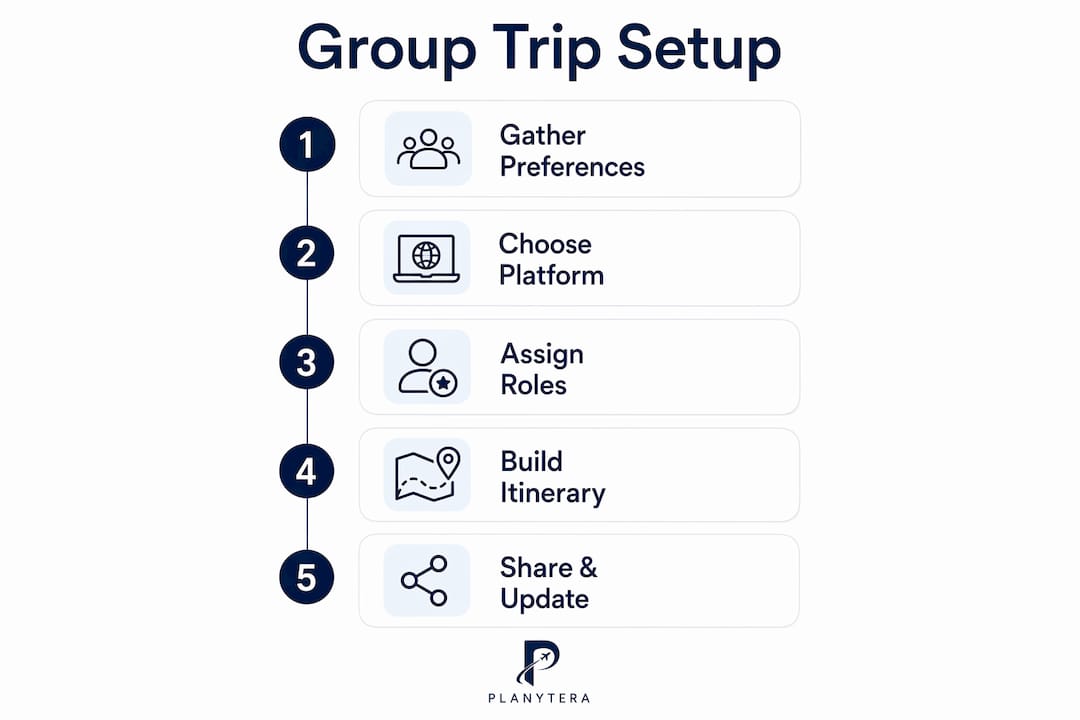
The right tool depends on your group size, trip complexity, and how much structure you need. Here is how the main options compare:
| Tool | Best for | Key strengths | Limitations |
|---|---|---|---|
| Planytera | Groups wanting AI-powered, personalized day-by-day plans | AI itinerary generation, offline access, live guidance, journaling, flexible edits | Focused on itinerary creation rather than full tour-operator workflows |
| Google Docs | Small groups comfortable with manual formatting | Free, familiar, real-time co-editing, easy sharing | No built-in notifications, no budget tracking, version drift risk |
| Splitwise | Groups tracking shared expenses | Expense splitting, payment tracking, clear balances | Not an itinerary tool; no schedule or activity management |
| Wanderlog | Road trips and multi-stop itineraries | Map-based planning, collaborative editing, import from Gmail | Less suited to large groups with complex logistics |
A few things worth noting about each:
- Planytera generates a tailored day-by-day plan in moments, factoring in dietary needs, pace, and budget. Groups can adjust the itinerary on the fly, and travelers get offline access so the plan is always available, even without Wi-Fi.
- Google Docs works well for simple trips but struggles once the group grows. There are no automatic notifications when someone edits the document, which means version drift is a real risk on longer or more complex trips.
- Splitwise fills a specific gap: tracking who paid what and who owes whom. Pair it with an itinerary tool rather than using it alone. For a full guide on managing shared travel budgets, Planytera's budget guide covers the details.
- Wanderlog shines for road trips where the map view matters. Collaborative editing is straightforward, though it is less structured for groups managing complex logistics like rooming lists or vendor confirmations.
For groups booking shared transport, ferry group bookings from 15 or more passengers are one practical example of where a centralized itinerary record pays off: one update to the departure time reaches everyone instantly.
Modern group trip management platforms go further by giving each stakeholder a tailored view: operators see costs and supplier contacts, group leaders see schedules and logistics, and travelers see a clean, readable version of their trip. Nobody gets overwhelmed with information that is not relevant to them.

Best practices for a smooth shared group trip setup
Getting the tools right is only half the job. How you use them determines whether the group stays coordinated or drifts into chaos.
- Assign one owner. One person controls the master itinerary. Others can suggest edits, but a single editor prevents conflicting changes.
- Use a single source of truth. A centralized itinerary record eliminates the "which version is current?" problem entirely.
- Automate notifications. Real-time push notifications replace manual messaging chains. When something changes, the right people find out within minutes.
- Set clear permissions. Organizers edit; group leaders review; travelers view. Role-based access prevents accidental overwrites and keeps the itinerary clean.
- Start from a template. Saving past trips as reusable templates cuts planning time significantly on recurring or similar group trips.
- Attach all documents to the trip record. Rooming lists, confirmation numbers, and transport details should live in one place, not scattered across email threads.
Pro Tip: Empower your group members to check the itinerary themselves rather than messaging you for updates. When travelers have direct access to a self-service view, your role shifts from information dispatcher to trip facilitator, and your workload drops noticeably.
An effective shared itinerary covers flights, accommodations, activities, transport, local contacts, and travel documents in one place. The more complete the record, the fewer questions land in your inbox.

How to handle conflicts and overlapping plans in a group itinerary
Conflicts in group itineraries are almost always predictable. Two activities booked at the same time, a restaurant reservation that clashes with a late checkout, or a traveler's dietary need that got missed in the original plan. Catching these early is far easier than fixing them mid-trip.
A few approaches that work well:
- Build in buffer time. Back-to-back activities with no gap are a recipe for stress. Even 20–30 minutes between scheduled items absorbs delays without derailing the day.
- Use a timeline or map view. Seeing the day laid out visually makes overlaps obvious in a way that a text list does not.
- Log change history. Version history and change logs show what changed, when, and who was notified. When a traveler claims they were never told about a schedule change, you have a clear record to reference.
- Separate optional from required activities. Marking certain items as optional lets travelers opt out without disrupting the core plan for everyone else.
- Resolve disagreements with a vote, not a debate. A quick group poll on conflicting options moves the decision forward without the organizer having to play referee.
Stage-based workflows that track each part of the trip through defined stages, from draft through approved to locked, prevent last-minute surprises by making the approval process explicit. When everyone knows the itinerary is finalized, spontaneous changes stop creating chaos.
Planytera makes group trip planning feel easy
Planning a group trip does not have to mean hours of spreadsheet work and endless group chats. Planytera generates a personalized, day-by-day itinerary in moments, tailored to your group's pace, budget, and preferences, including dietary needs and activity types.

Where most tools hand you a blank document and wish you luck, Planytera does the heavy lifting. You get a flexible plan you can adjust on the fly, live travel guidance while you are on the road, and offline access so every traveler can check the itinerary anywhere. The journaling feature lets group members capture memories as the trip unfolds. Ready to stop building itineraries from scratch? Start planning with Planytera and have your group's itinerary ready in minutes.
Key Takeaways
A centralized, real-time shared itinerary with role-based access and automatic notifications is the single most effective way to coordinate a group trip without organizer burnout.
| Point | Details |
|---|---|
| Use one central record | A single itinerary source prevents version drift and keeps every traveler on the same information. |
| Assign role-based access | Organizers edit, leaders review, and travelers view, so no one overwrites critical details. |
| Automate notifications | Real-time push notifications replace manual messaging and reduce organizer workload. |
| Resolve conflicts early | Buffer time, timeline views, and change logs catch scheduling overlaps before they become mid-trip problems. |
| Planytera for group planning | Planytera generates AI-powered, tailored day-by-day itineraries with offline access and flexible on-the-fly edits. |