
Digital itineraries beat paper plans because they keep your trip accurate, shareable, and adaptable in real time. As organizations across industries have found, moving from paper to digital delivers easier organization, faster updates, and a lower reliance on physical resources. Here's the short version:
- Real-time updates mean a rebooked flight or changed hotel shows up instantly, not after you've reprinted three pages.
- Searchability lets you pull a confirmation number in seconds instead of flipping through a folder.
- Sharing gives every traveler in your group a live copy, not a photocopy that's already out of date.
- Offline sync keeps your plans accessible even when Wi-Fi disappears.
Paper continues to have value as a minimal backup, particularly in remote locations or when crossing international borders. But for day-to-day trip management, digital wins by a wide margin.
Key Takeaways
Digital itineraries beat paper plans because they update in real time, stay searchable, and give every traveler in your group a live, accurate copy — while a single printed backup covers the edge cases where technology falls short.
| Point | Details |
|---|---|
| Digital wins on flexibility | Real-time updates, searchability, and live sharing solve the biggest problems paper plans create. |
| Paper earns a backup role | One printed page with flight numbers, hotel addresses, and emergency contacts covers device failure and border crossings. |
| Offline access is non-negotiable | Download your itinerary and maps before departure; cloud-only plans fail without a connection. |
| Accessibility favors digital | Zoom, text-to-speech, and adjustable contrast make digital formats more usable for travelers with visual or cognitive needs. |
| Planytera covers the full picture | AI-generated itineraries with offline access, live guidance, and group sharing replace spreadsheets and paper plans in one place. |
Table of Contents
- What counts as a digital itinerary vs. a paper plan
- Why digital itineraries beat paper plans: the core advantages
- When paper still wins: drawbacks and real-world limits
- How to switch from paper to a digital-first itinerary
- What to look for when choosing a digital itinerary app
- How Planytera puts these advantages into practice
- The case for staying flexible: a note on paper's real role
- Planytera makes the switch straightforward
- Sources
What counts as a digital itinerary vs. a paper plan
A digital itinerary is any trip plan you access through a screen. That includes:
- A mobile app that generates day-by-day schedules (like Planytera's AI-powered planner)
- A cloud document (Google Docs, Notion) with your bookings and notes
- An e-ticket wallet (Apple Wallet, Google Wallet) holding boarding passes and hotel confirmations
- A mobile-friendly web itinerary sent by a travel agent
A paper plan is any trip plan you hold in your hands. That includes:
- A printed PDF agenda you assembled before departure
- A travel notebook where you wrote down addresses, times, and confirmation codes
- Printed booking confirmation emails stapled together in a folder
The hybrid approach sits between both: you run your trip digitally day-to-day, but you carry one slim printed packet covering your passport copy, key booking references, and emergency contacts. Most experienced travelers land here, and it's the approach travel experts recommend for most trips.
Why digital itineraries beat paper plans: the core advantages
Digital itineraries centralize your bookings, deliver real-time updates, and cut the time you'd otherwise spend reprinting or reformatting after last-minute changes. That single shift solves most of the chaos that paper plans create.
Real-time updates and version control
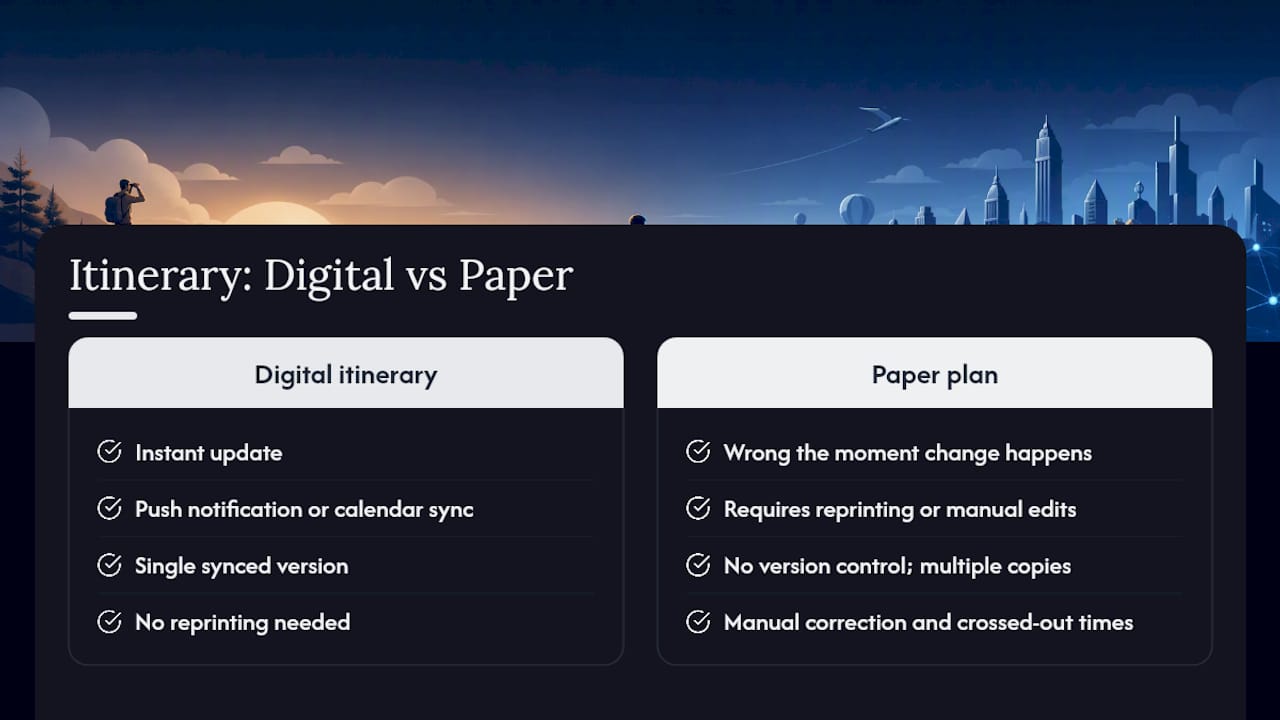
When an airline reschedules your 7:00 AM flight to 9:30 AM, a paper plan is wrong the moment the change happens. A digital itinerary can reflect that update instantly, either through a push notification or a synced calendar entry. No reprinting, no crossed-out times, no confusion at the gate.
Searchability and centralized information
Paper forces you to remember which page holds the hotel's check-in number. Digital lets you type three letters and find it. Confirmation codes, restaurant addresses, tour meeting points — all searchable, all in one place.
Sharing and live collaboration
Sending a paper itinerary to five family members means five copies, and the moment anything changes, all five are wrong. A shared digital itinerary gives everyone the same live version. Group trip coordination becomes far simpler when one edit reaches the whole group automatically.
Integrations: maps, calendar, and booking sync
Modern itinerary tools include offline functionality, embedded maps, push notifications for delays, and consolidated booking confirmations — features that reduce friction at every stage of a trip. Tap an address and your navigation app opens. A calendar sync means your hotel checkout time appears alongside your flight reminder.

Accessibility features
Digital formats support zoom, text-to-speech, and adjustable contrast, making trip information genuinely usable for travelers with visual or cognitive differences. Perkins School for the Blind notes that these built-in accessibility tools give digital formats a clear advantage over static print for inclusive travel planning.
Sustainability
Digital travel guides carry a lower environmental footprint than printed handouts, and the difference compounds across a year of trips. Fewer printed pages, fewer ink cartridges, less paper waste.
Pro Tip: Enable offline sync before you leave home. Download your itinerary, maps, and key documents to your device while you're on Wi-Fi so everything stays accessible when you land in a place with spotty connectivity.
Use-case example: Your group's dinner reservation gets moved from 7:00 PM to 8:30 PM the morning of your arrival. With a shared digital itinerary, you update it once and everyone's phone reflects the change. With a paper plan, you're sending texts, hoping everyone sees them, and hoping no one shows up an hour early.
When paper still wins: drawbacks and real-world limits
Digital itineraries have real failure modes. Knowing them helps you plan around them rather than get caught off guard.
- Battery and device failure. A dead phone at a foreign airport is a genuine problem. No charge, no access.
- App outages and connectivity gaps. Cloud-only itineraries become inaccessible when you're offline and haven't pre-downloaded anything.
- Privacy and cost. Subscription fees add up, and some apps collect more data than you'd expect. Check privacy settings before you hand over your travel details.
- Learning curve. Not every traveler wants to manage an app. Older travelers or those who prefer tactile planning may find paper faster and less stressful.
- Legal and entry requirements. Some border crossings and visa checks still require printed documentation. A digital copy on your phone may not be accepted.
What about ADHD? For travelers with attention or organization differences, a hybrid system often works best. Research from PlannerPads suggests paper supports structure and habit-building while digital handles reminders and automatic updates. Combining both gives you the tactile clarity of paper and the reliability of push notifications.
Pro Tip: Before any trip, export your full itinerary as a PDF and save it to your phone's local storage — not just the cloud. Then print a single one-page backup covering your flight numbers, hotel addresses, and one emergency contact. That's your safety net if everything else fails.
How to switch from paper to a digital-first itinerary
You don't have to abandon paper overnight. Here's a practical path that keeps the best of both:
- Choose one tool. Pick a single app or platform for your itinerary. Splitting across three apps creates the same fragmentation problem as paper.
- Import your existing plans. Copy your current bookings, confirmation numbers, and key addresses into the tool. Most apps let you forward confirmation emails directly.
- Enable offline access. Download your itinerary and maps to your device before departure. Test that they load with airplane mode on.
- Sync your confirmations. Connect your email or calendar so new bookings appear automatically. This prevents the "I forgot to add that" problem.
- Test on a short trip first. Try the setup on a weekend trip or a day outing before relying on it for a two-week international trip.
- Migrate shared plans. If you're traveling with others, invite them to the shared itinerary and confirm they can view and edit it before you leave.
What to print as a backup (keep it to one page):
- Passport copy (photo page)
- Flight numbers and departure times
- Hotel names and addresses
- One local emergency contact number
- Travel insurance policy number
Pro Tip: Create a single offline folder on your phone labeled "Trip Backup." Drop your PDF itinerary, hotel confirmations, and passport scan in there. If your app fails, that folder is your fallback — no internet required.
What to look for when choosing a digital itinerary app
Not every app delivers the same value. Here's what actually matters when you're evaluating options:
- Offline access. Non-negotiable. If the app requires a live connection to show your plans, it will fail you at the worst moment.
- Live updates and push notifications. Flight delays, gate changes, and booking modifications should reach you automatically, not after you check manually.
- Calendar and booking sync. The app should pull in confirmations from your email or calendar without manual entry.
- Export and print options. You need to be able to generate a PDF or printed version for your paper backup.
- Sharing and collaboration. Look for real-time shared access, not just a static link. Group trips need everyone on the same live version.
- Privacy controls. Check what data the app stores and whether you can limit sharing. Your travel schedule is sensitive information.
- Editability mid-trip. Plans change. The app should let you adjust times, swap venues, and add notes on the fly without starting over.
Feature priorities by traveler type:
- Solo travelers: Prioritize offline access, searchability, and a clean export for the paper backup.
- Families: Shared access and collaborative editing matter most, along with dietary and pace customization.
- Group leaders: Look for group preference management and budget-splitting features alongside the standard itinerary tools.
- Business travelers: Calendar sync, push notifications, and clean PDF exports for expense documentation are the priority.
On pricing: Most apps offer a free tier with limited features, a per-trip credit option, or a monthly or annual subscription. Per-trip credits work well if you travel occasionally; a subscription makes more sense if you plan multiple trips per year.
How Planytera puts these advantages into practice
Planytera maps directly to the benefits covered in this article. Here's how the features connect:
- AI itinerary generation builds a personalized day-by-day plan in minutes, accounting for your dietary needs, travel pace, and budget — no spreadsheet required.
- Offline access keeps your full itinerary available without a connection, covering the biggest failure mode of digital-only planning.
- Live travel guidance delivers real-time updates and advisories so you're not caught off guard by changes.
- Shareable and collaborative itineraries give every traveler in your group a live copy they can view and contribute to. AI-assisted group planning removes the back-and-forth that usually slows down family or group coordination.
- Trip journal lets you document memories alongside your plans, turning your itinerary into a record of the trip.
A practical example: your group of six is mid-trip and one traveler's dietary restriction wasn't accounted for in the original restaurant plan. With Planytera, you edit the itinerary on the spot, find an alternative that fits, and share the updated plan with the group instantly. No group text chain, no confusion.
The case for staying flexible: a note on paper's real role
The honest truth is that paper isn't obsolete — it's just been demoted. Digital handles the heavy lifting: updates, search, sharing, and navigation. Paper handles the edge cases: a remote trek where your phone dies by noon, a border crossing that wants a printed visa confirmation, or a quick handwritten note when you don't want to unlock your phone.
My default is digital-first, always. But I keep one folded page in my passport holder: flight numbers, hotel addresses, and an emergency contact. That page has saved me exactly once, at an airport where my phone battery hit zero before I reached the check-in desk. Once was enough to make it a permanent habit.
The goal isn't to pick a side. It's to use each format where it's actually stronger.
Planytera makes the switch straightforward
Switching from paper to digital doesn't have to mean starting from scratch. Planytera generates a complete, personalized itinerary in minutes — day-by-day plans built around your preferences, pace, and budget, with no spreadsheet in sight.
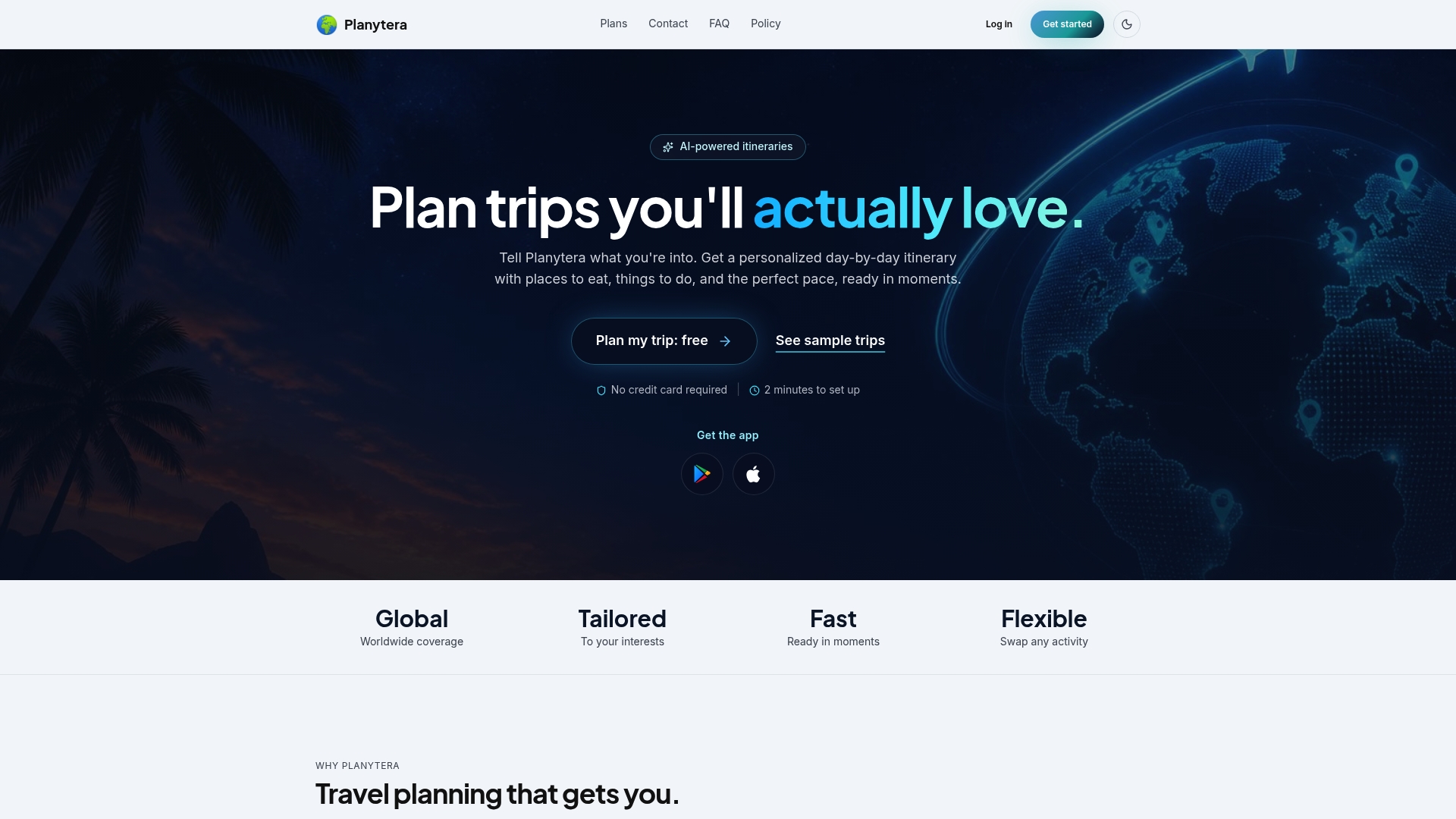
Here's what you get from day one:
- Offline access so your plans are always available, connection or not
- Live travel guidance with real-time updates and advisories
- Shareable itineraries that keep your whole group on the same page
- AI-powered generation that handles the research and formatting for you
Ready to travel with a plan that actually keeps up with you? Explore Planytera's subscription plans and generate your first itinerary today.
Sources
- Do you need a paper guide or should everything be digitalized? — Monde du Voyage
- How a Digital Itinerary Really Simplifies Your Travel Days — Wandering Everywhere
- Digital Itineraries: Apps and Tools That Create Professional Client Documents | DMC Quote Blog
- Why Choose Digital Guides vs Paper Handouts for Travel — BlueSpotConnect
- Digital vs. Paper: When to Use What and Why It Matters — Xerox
- Why Use a Digital Format Instead of Paper — Perkins School for the Blind