
The single best approach: one editable master itinerary, a private TripBook, a synced family calendar, and one notification channel. That's it. No juggling five apps or texting screenshots of a hotel confirmation to six different people.
Here's what you actually need in place:
- Master itinerary: one living document everyone can view and edit, organized by day
- Shared calendar: synced events so trip dates land on every family member's phone automatically
- Private TripBook: a closed space for photos, notes, and memories tied to the trip
- Notification channel: one thread (app alert or group chat) for real-time changes
Set offline sync on before you fly, and assign at least one "editor" role beyond yourself. If you're the only one who can update the plan, you've built a bottleneck, not a system.
Key Takeaways
Families coordinate travel most reliably with one editable master itinerary, a synced calendar, invite-only sharing, and a private TripBook for memories.
| Point | Details |
|---|---|
| Pick one master itinerary | Avoid duplicate documents by naming and dating a single editable file everyone edits. |
| Assign roles early | Designate a planner, confirmer, documentarian, and navigator before the trip starts. |
| Default to invite-only | Use read-only links for extended family instead of open, publicly shared URLs. |
| Enable offline sync before departure | Export a PDF and turn on offline mode before you lose reliable connectivity. |
| Use Planytera for the full workflow | Planytera combines editable itineraries, offline access, and a private TripBook in one app. |
Table of Contents
- How Families Share Travel Plans Digitally: Choosing the Right Format
- How Do You Build a Shared Itinerary Everyone Actually Trusts?
- Who Does What? Assigning Roles Without the Drama
- Keeping Family Travel Data Private and Age-Appropriate
- Turning Trip Chaos Into a TripBook Everyone Wants to Revisit
- What to Do When the Shared Plan Breaks
- What Firsthand Experience Taught Me About Building This System
- Why the Real Bottleneck Isn't the Tools
- Start Planning and Documenting Your Next Family Trip
- Sources
How Families Share Travel Plans Digitally: Choosing the Right Format
Every family ends up testing a mix of tools before landing on one that sticks. Each format solves a different problem, and knowing which one to grab saves you weeks of back-and-forth.
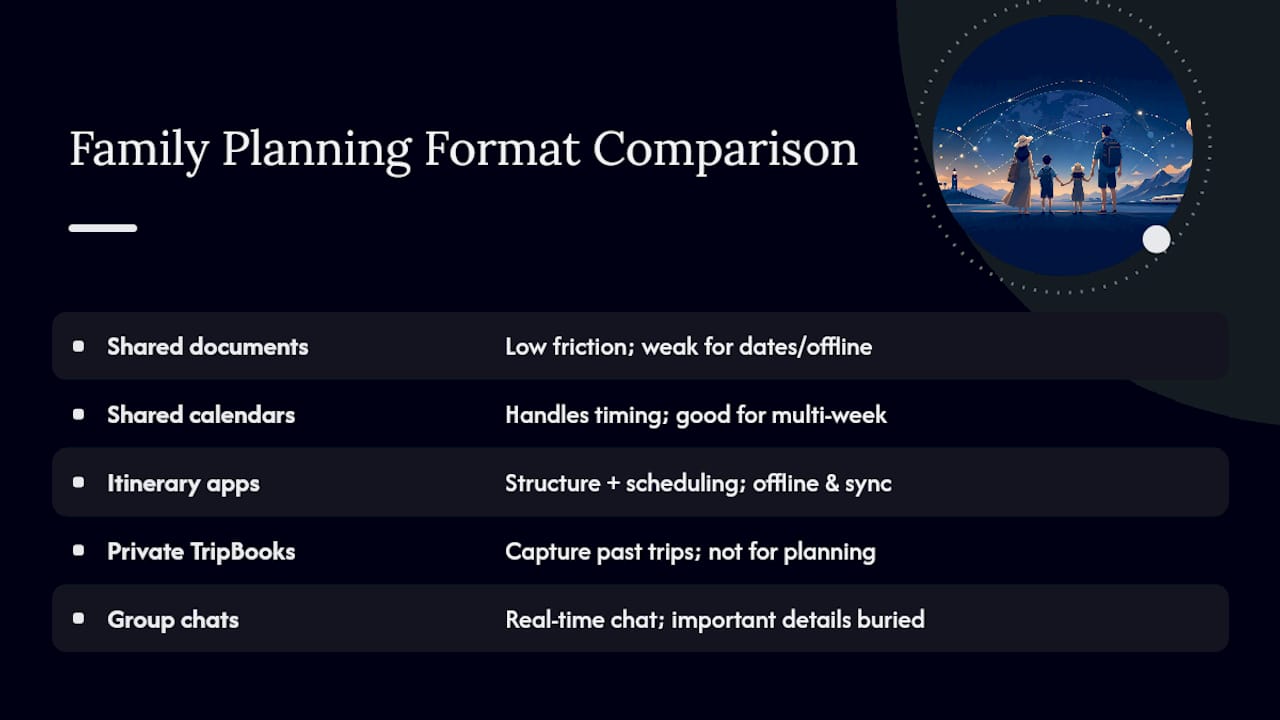
Shared documents (think Google Docs or Sheets) are the low-friction default for a reason. Community recommendations on Reddit and Facebook travel groups point to shared docs constantly, because everyone already knows how to use them and there's no download required. They're great for brainstorming and rough drafts, weak for anything with dates, reminders, or offline access.
Shared calendars handle the timing side. Flight times, checkout deadlines, dinner reservations. They shine on multi-week trips where a missed sync means someone shows up a day late to the airport.
Dedicated itinerary apps combine both jobs: structure plus scheduling, often with maps and booking links built in. For anything longer than a long weekend, this is usually the better investment.
Private TripBooks aren't for planning. They're for capturing what actually happened; more on that below.
Group chats cover real-time chatter but bury important details fast. A confirmation number sent in a thread with 200 messages is a confirmation number you'll never find again.
For a weekend trip, a shared doc and a group chat might genuinely be enough. For a two-week, multi-city, multi-generation trip, you want an itinerary app with calendar sync and offline access, since Phocuswright's research shows steady growth in families adopting integrated planning tools instead of piecing together separate apps.
How Do You Build a Shared Itinerary Everyone Actually Trusts?
A shared itinerary only works if everyone believes it's current. That trust gets built through structure, not goodwill. Follow this order:
- Build the skeleton first. Structure the document by day, then by time slot (morning, afternoon, evening), then a reservation block, then a notes field for each entry.
- Invite contributors with clear roles. Give your co-planner "editor" access, give teens or grandparents "commenter" access, and give anyone who just needs to check dates "viewer" access.
- Attach the proof. Drop booking confirmation links directly into the relevant day, and attach PDFs or screenshots of reservations so nobody digs through email during check-in.
- Sync to a calendar feed. Push key events (flights, check-ins, reservations) to a shared calendar with reminders set 24 hours ahead.
- Name things consistently. Use a simple naming convention, like "Family Trip Italy 2026 (Master)," and add a one-line change note whenever you edit something significant, so nobody wonders if they're looking at an old version.
Pro Tip: Put the trip's start date in the file name itself. When three versions of "Family Itinerary" are floating around three phones, the one with the date wins the argument every time.
This structure takes maybe 20 minutes to set up and saves hours of "wait, is this the final plan?" texts later.
Who Does What? Assigning Roles Without the Drama
Group trips fall apart not because of bad planning but because nobody agreed on who decides what. Four roles cover almost every family trip:
- Planner: builds the itinerary skeleton and keeps the master version organized
- Confirmer: actually books things and holds the confirmation numbers
- Documentarian: collects photos and notes for the TripBook as the trip happens
- Navigator: handles day-of logistics, like transit timing and reroutes
These roles can overlap, but somebody needs to own each one, even informally.
For decisions, split them into two buckets: things anyone can vote on (restaurant picks, which museum to skip) and things one person finalizes (hotel bookings, transport changes). Voting on everything grinds a trip to a halt. Assign a finalizer for money-related and time-sensitive calls, and let the group weigh in on the low-stakes stuff.
When plans change mid-trip, which they will, use a short "what changed" note attached to the itinerary edit rather than a scattered explanation in the group chat. Something as simple as "moved dinner to 7pm, table confirmed" keeps everyone aligned without anyone scrolling back through 40 messages trying to piece together what happened.
Keeping Family Travel Data Private and Age-Appropriate
Shared doesn't mean public. Default to invite-only access for your itinerary and TripBook rather than an open link anyone with the URL can view.
- Use invite-only sharing as the default for the working itinerary and any documents with confirmation numbers or passport details
- Send read-only links to grandparents or extended family who just want trip dates, not editing power
- Set age-appropriate limits for teens contributing photos or notes; commenter access lets them add content without touching bookings
- Store sensitive documents (passport scans, insurance info) somewhere separate from the general trip folder, with an offline copy saved locally in case connectivity drops
OECD's guidance on accessible digital tools points out that multi-age household tools work best when permissions are simple and visible, not buried in settings menus nobody checks.
Pro Tip: Before you leave, export a PDF of the full itinerary and email it to yourself. If your app crashes or Wi-Fi disappears, you've still got a readable copy.
Turning Trip Chaos Into a TripBook Everyone Wants to Revisit
Public social albums are built for an audience. A private TripBook is built for your family, and that distinction changes what people actually put in it. Families increasingly favor closed, invite-only journals over public posts because nobody has to perform for followers. A TripBook can hold the blurry, the awkward, and the genuinely funny moments that never make it to a public feed.
Practically, collecting content from a mixed-age group means keeping the bar low. Kids can drop in one photo a day. Teens might write a caption. Grandparents might just react with a comment.
- Set a simple daily habit: one photo, one line, done, rather than expecting a polished recap
- Capture content offline during the day and bulk-upload it once you hit Wi-Fi at the hotel
- Tag entries to specific itinerary days so the TripBook reads like a timeline, not a random photo dump
- Encourage short voice notes for younger kids who won't type but will happily talk
Products in this space, like TripMemo's family-focused features, lean heavily on this same idea: invite-only sharing plus day-by-day capture beats a public album for keeping the story intact.
What to Do When the Shared Plan Breaks
Every family hits a glitch eventually: someone can't open the itinerary, two people edit the same line at once, or the app won't sync at the airport. Here's the fast fix list:
- Access issues: double-check the invite went to the right email or phone number, and confirm the contributor accepted it rather than just receiving it.
- Conflicting edits: most apps timestamp changes; compare versions before merging manually, and never just delete one person's edit to save time.
- Sync problems: turn on offline mode before departure, not after you've lost signal, since global connectivity data shows travelers regularly hit weak or unreliable networks abroad.
- Before you fly: export a PDF of the itinerary, save emergency contacts locally, and screenshot key confirmations so a dead battery or dropped signal doesn't strand you without information.
A five-minute backup routine before departure beats an hour of troubleshooting mid-trip.
What Firsthand Experience Taught Me About Building This System
Dom has spent years testing how families actually plan trips together, not how planning apps say families should. The gap between the two is bigger than most guides admit.
Mapped against the checklist above, Planytera's features line up directly with what makes shared planning work:
- Editable itineraries give every contributor a live, structured plan instead of a static PDF
- Offline access covers the sync gaps that DataReportal's connectivity data confirms are common on the road
- A built-in TripBook journal handles memory-keeping without a second app
- Live travel guidance updates the plan when reservations or timing shift
Picture a family of five generating a seven-day itinerary in minutes, inviting grandparents as read-only viewers, and letting teenagers drop photos into the TripBook each night from the hotel. No spreadsheet, no separate photo app, no lost confirmation emails. That's the workflow Planytera is built to simplify instead of leaving families to stitch it together themselves.
Why the Real Bottleneck Isn't the Tools
Most advice on this topic obsesses over which app has the prettiest interface. That's the wrong fight. The actual failure point in family trip planning is almost always unclear ownership: nobody knows who has edit rights, who finalizes bookings, or where the "real" version of the itinerary lives.
Fix the roles before you fix the tools. A family using a plain shared doc with clear permissions will outperform a family using three fancy apps with no agreed system. That's the uncomfortable truth conventional advice skips past, because "download this app" is a much easier headline than "have an awkward conversation about who's in charge of the hotel bookings."
If you take one thing from this, prioritize the permission structure and role assignments first. The format, whether it's a document, calendar, or app, is secondary. Get the people part right, and almost any tool will hold up. Get it wrong, and the best app in the world won't save your trip from chaos.
— Dom
Start Planning and Documenting Your Next Family Trip
Planytera gives families exactly the system this article walks through: an editable itinerary you can share instantly, a private TripBook for memories, offline access for spotty airport Wi-Fi, and live guidance that adjusts when plans shift.
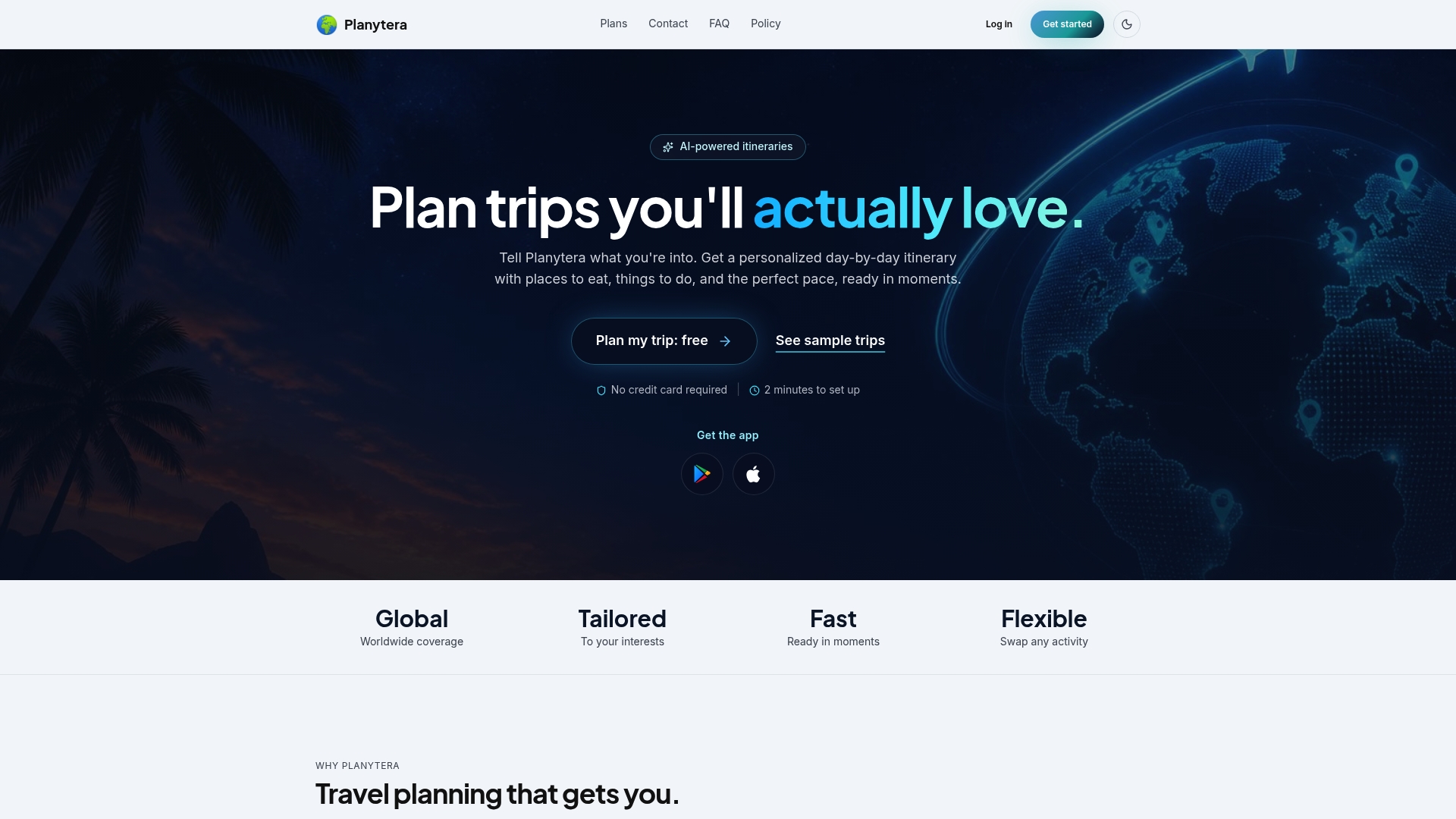
Getting started takes minutes. Sign up, describe your trip (destination, dates, dietary needs, pace), and let the app generate a full day-by-day itinerary. From there, invite your co-planner as an editor, send read-only links to extended family, and toggle on offline sync before anyone leaves home.
Before you invite anyone, check the acceptable use guidelines so your sharing defaults match what you actually want extended family to see. Then head to Planytera and generate your first itinerary. Your family's next trip deserves a plan everyone can actually find.
Sources
This article draws on OECD's Digital Education Outlook, Phocuswright's travel-tech research, and DataReportal's connectivity data.
For setup help, see how to set up a shared itinerary, building a digital travel scrapbook, and managing plans that change daily. For broader planning tips, Wild Foodz's family travel guide is a useful companion read.
- OECD Digital Education Outlook 2026
- Phocuswright Research Roundup 2H25
- DataReportal global digital overview